-
Open Club Branding
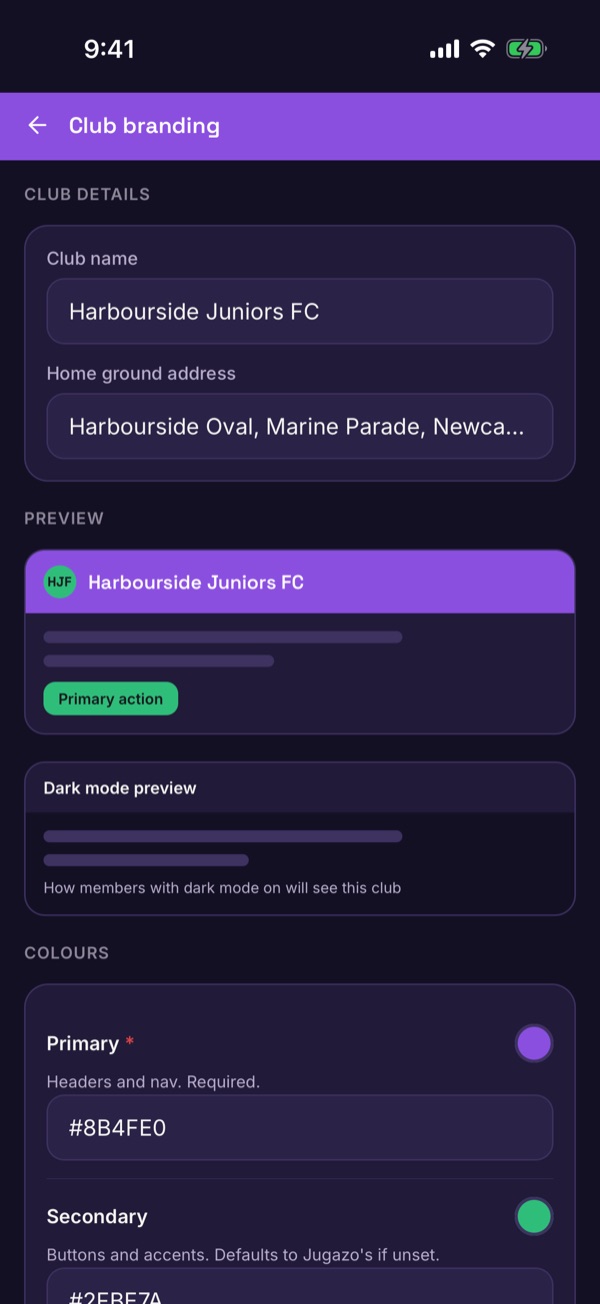
Tap the shield icon on Home to open the Admin hub, then Club Setup and Club Branding. Check your club name and home ground address at the top.
-
Choose your colours
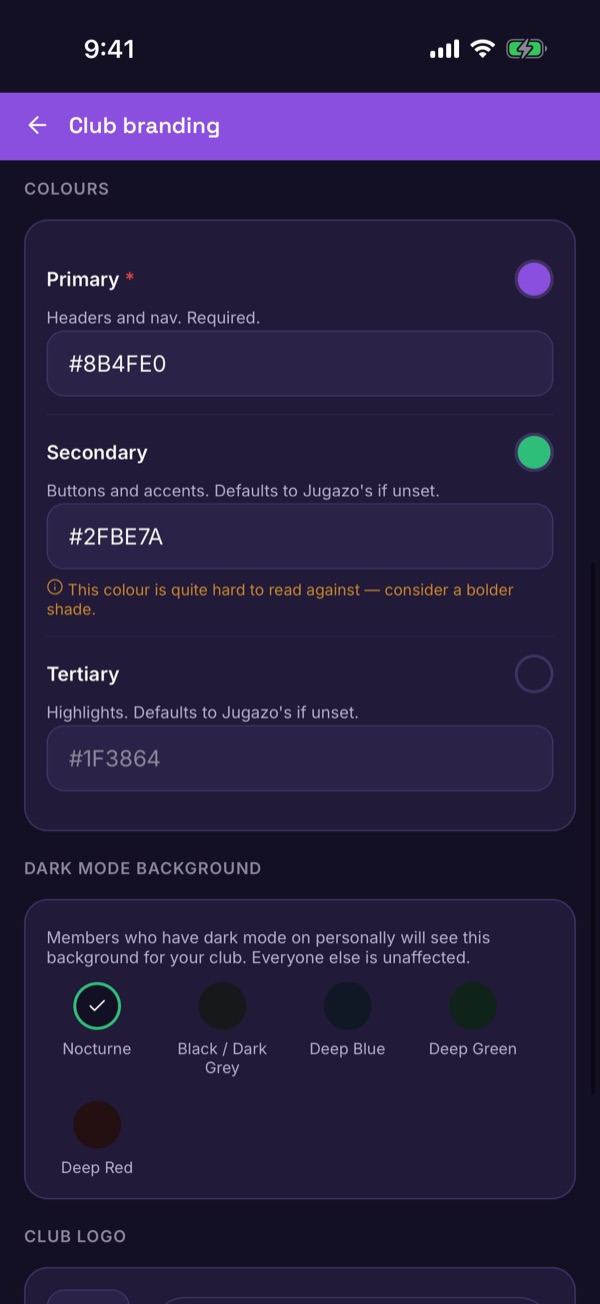
Set the Primary colour for headers and navigation (required), the Secondary for buttons and accents, and an optional Tertiary for highlights. Type each as a hex code like #8B4FE0. Anything you leave unset uses Jugazo's own colours. The preview updates as you go.
-
Watch for the contrast warning
If a colour is hard to read against, you'll see a note suggesting a bolder shade.
-
Pick a dark mode background
Members who use dark mode see the background you choose for your club: Nocturne, Black / Dark Grey, Deep Blue, Deep Green or Deep Red. Everyone else is unaffected.
-
Add your logo and save
Scroll down to Club logo and upload one — square images work best. Then tap Save branding.
Good to know. Whether dark mode is on is each person's own choice. Your club only decides which dark background they see.