-
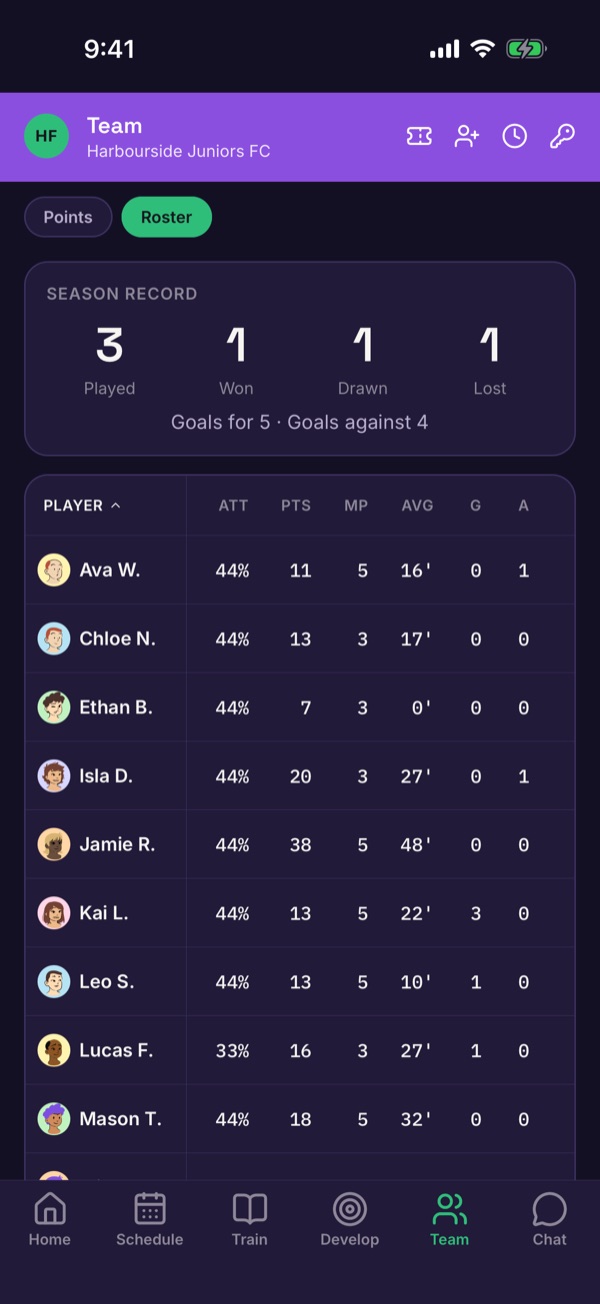
Open the roster
Tap Team, then Roster for the season record and every player's attendance, points and goals.
-
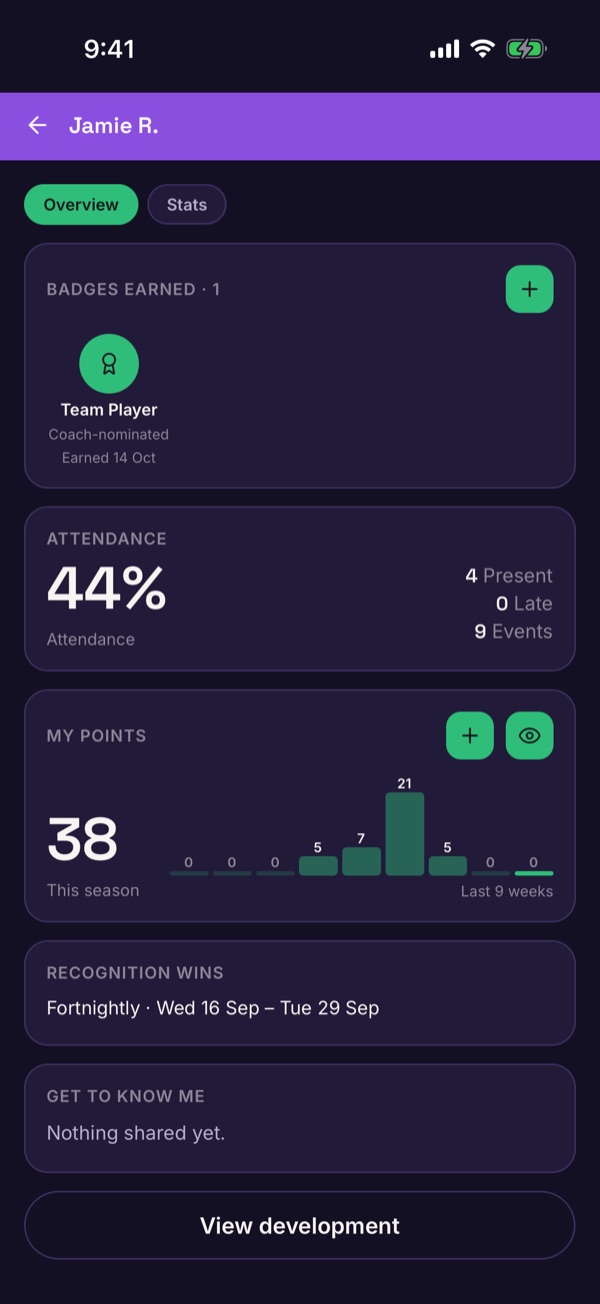
Open a player
Tap a player to see their badges, attendance and points.
-
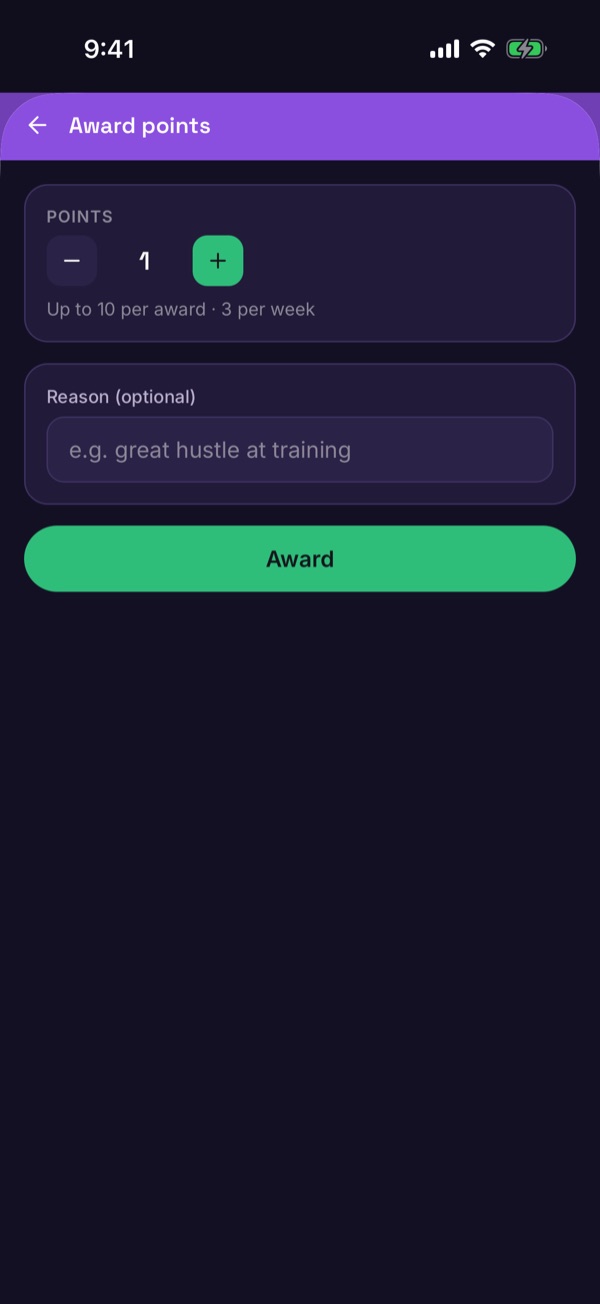
Award points
Next to My points, tap +. Choose how many points and add a reason, then tap Award. There's a limit of 10 points per award and 3 awards per week.
-
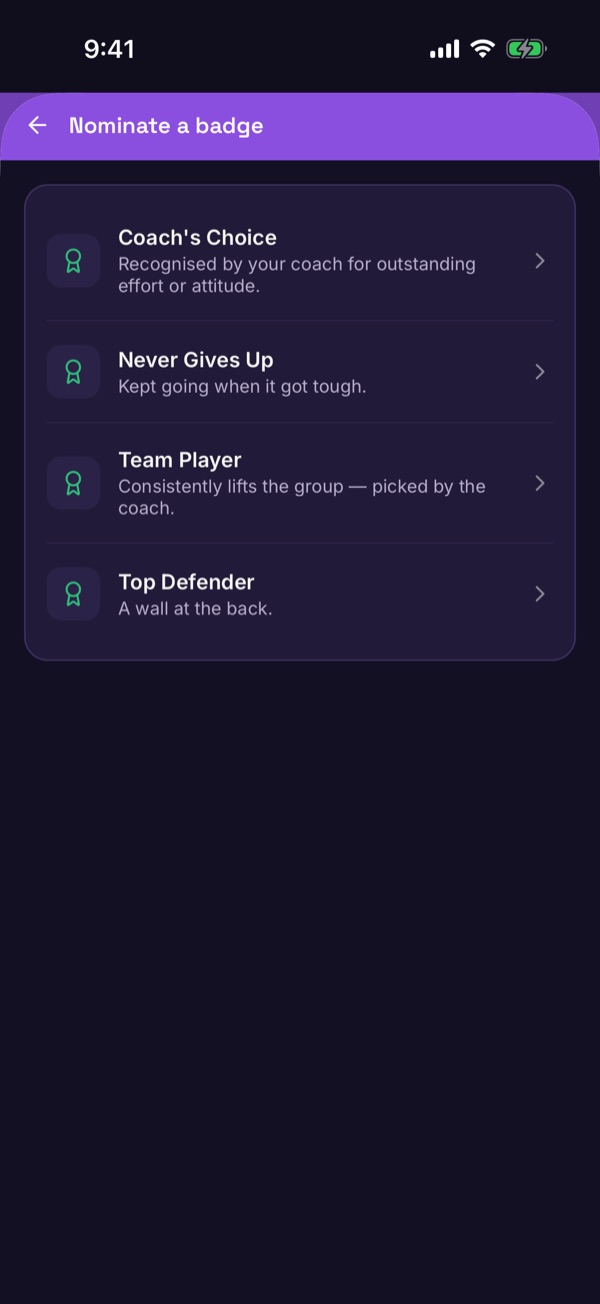
Nominate a badge
Next to Badges earned, tap + and choose a badge. You'll be asked to confirm.
Good to know. Most points and some badges are awarded automatically by the app. The ones you give are the coach's choice.