Help Centre › Coaches Coach

Run a match and share the report

Record goals as they happen, tidy up afterwards, then share with families.

6 steps

Watch: run a match and share the report — a coach kicking off a match, recording a goal and opening the match review. About 73 seconds, no sound; captions are on.
  1. Open the match

    On the game, find the Match card and tap the + beside it. You'll see your lineup, Minutes per half and a Kick off button. Tap Edit squad & availability first if anyone isn't there.
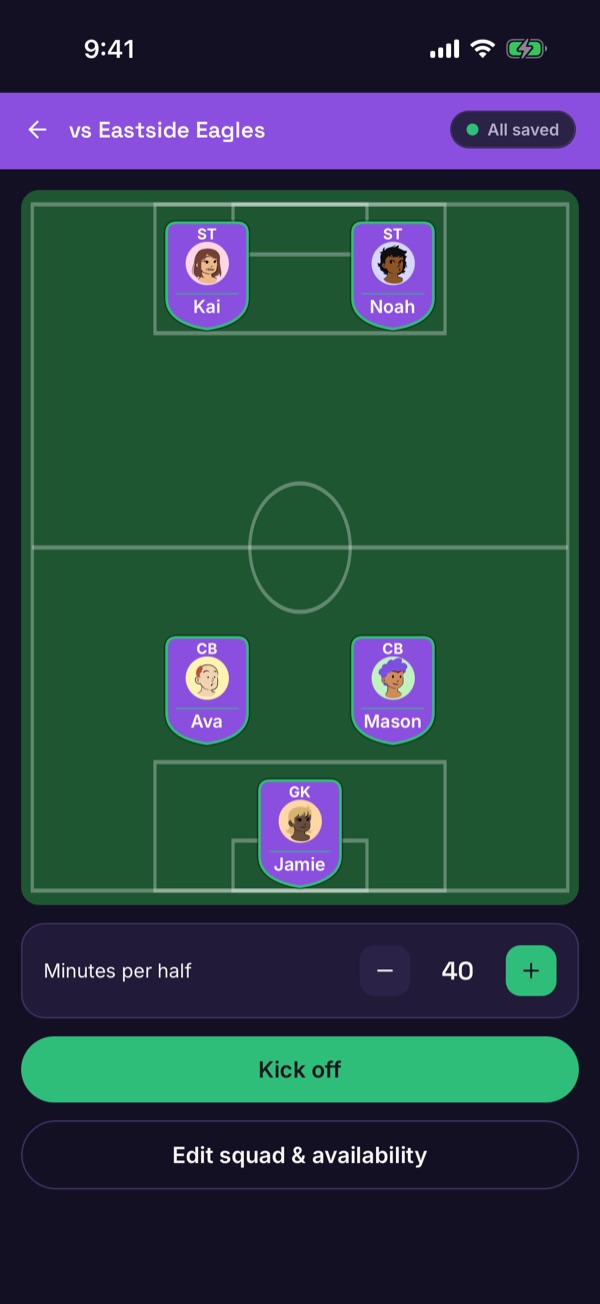
    The match screen before kick-off with the lineup, minutes per half and a Kick off button
  2. Kick off

    Tap Kick off. The clock starts, and you can record Goal or Conceded with one tap.
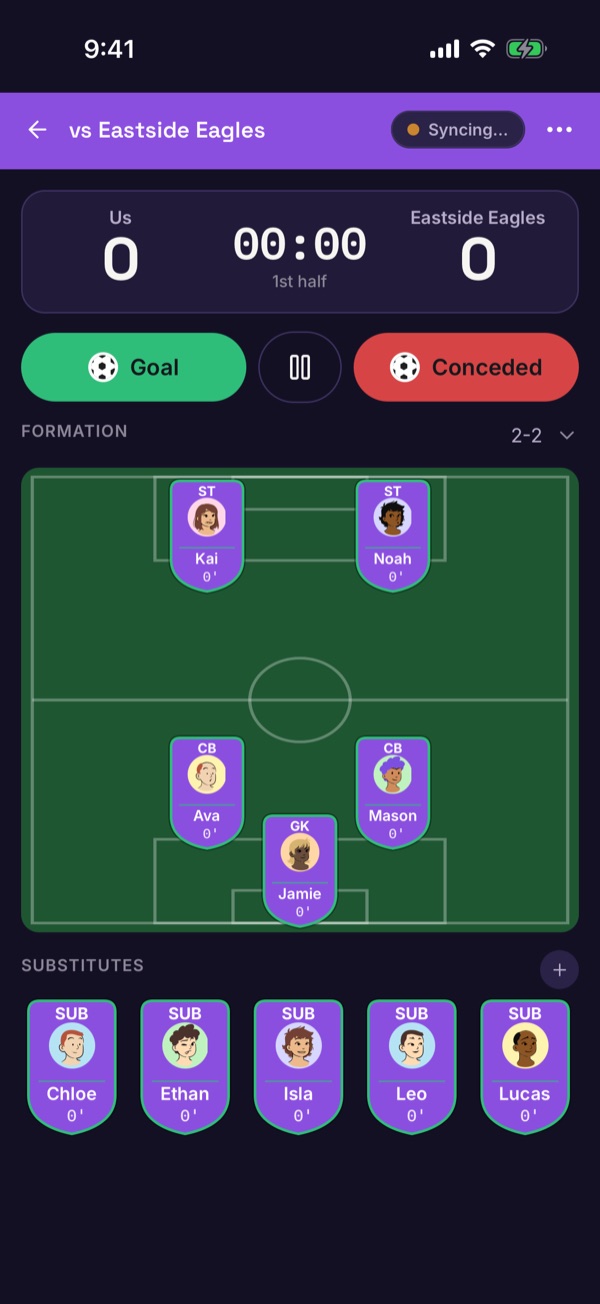
    The live match screen with a clock, Goal and Conceded buttons, the pitch and substitutes
  3. Record a goal

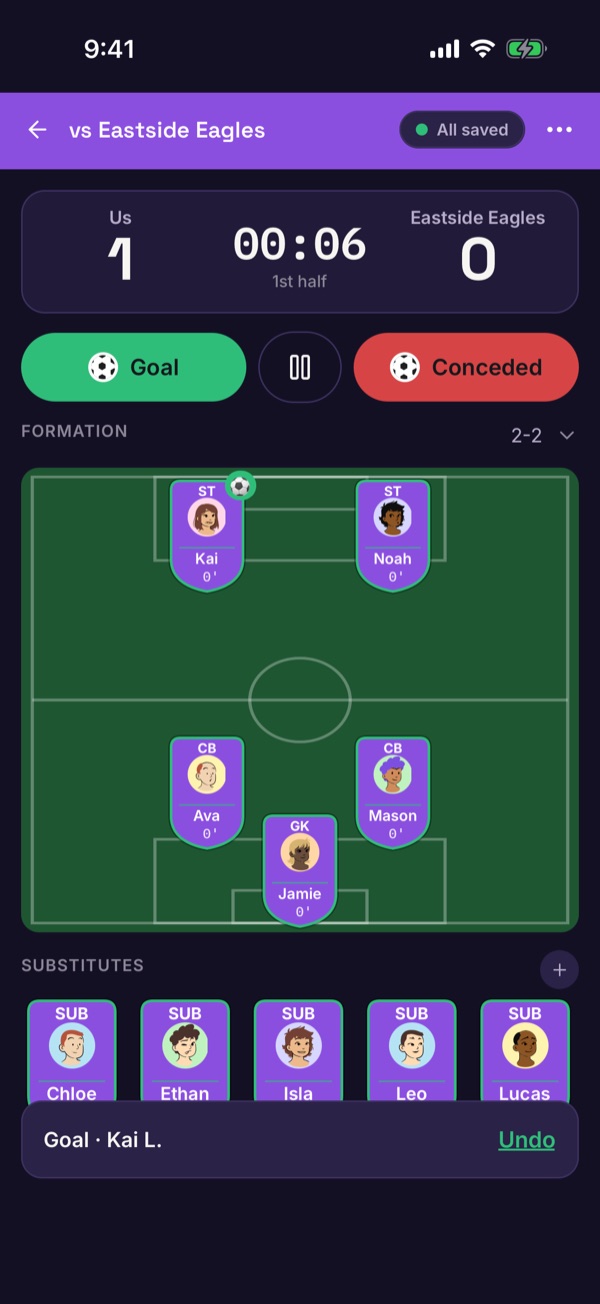
    Tap Goal, choose who scored and who assisted (or No assist). The score updates, and Undo is there if you slip.
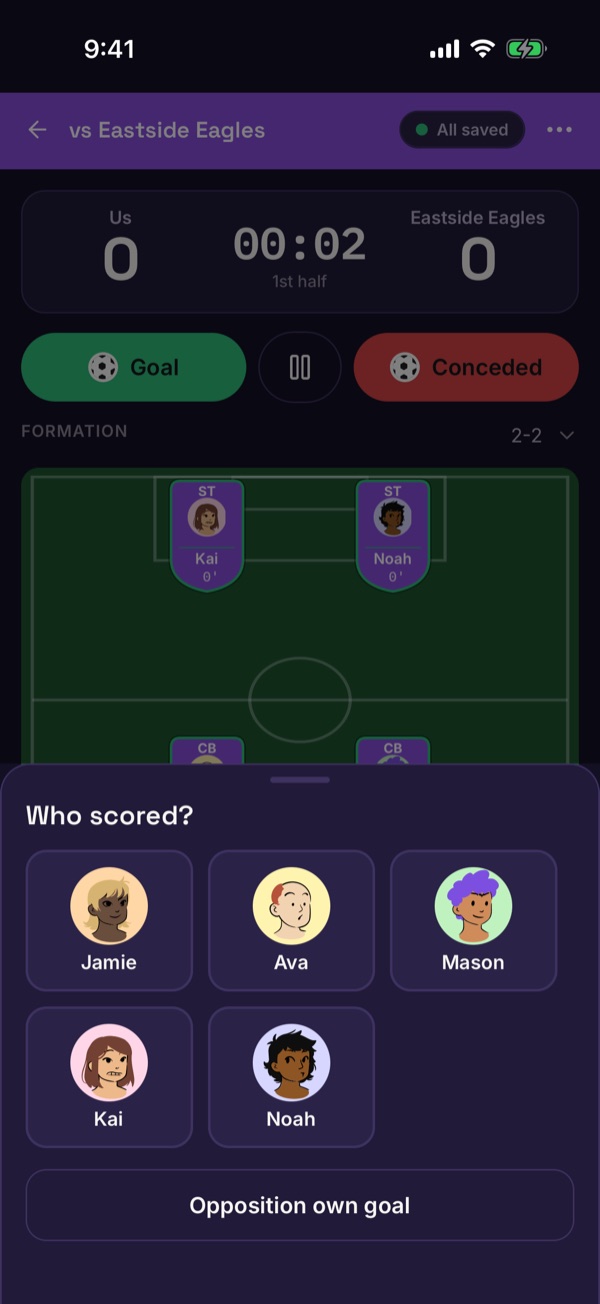
    The Who scored sheet listing the players on the pitch
    The live screen after a goal with the score at 1 to 0 and an Undo bar
  4. Pause, end the half and finish

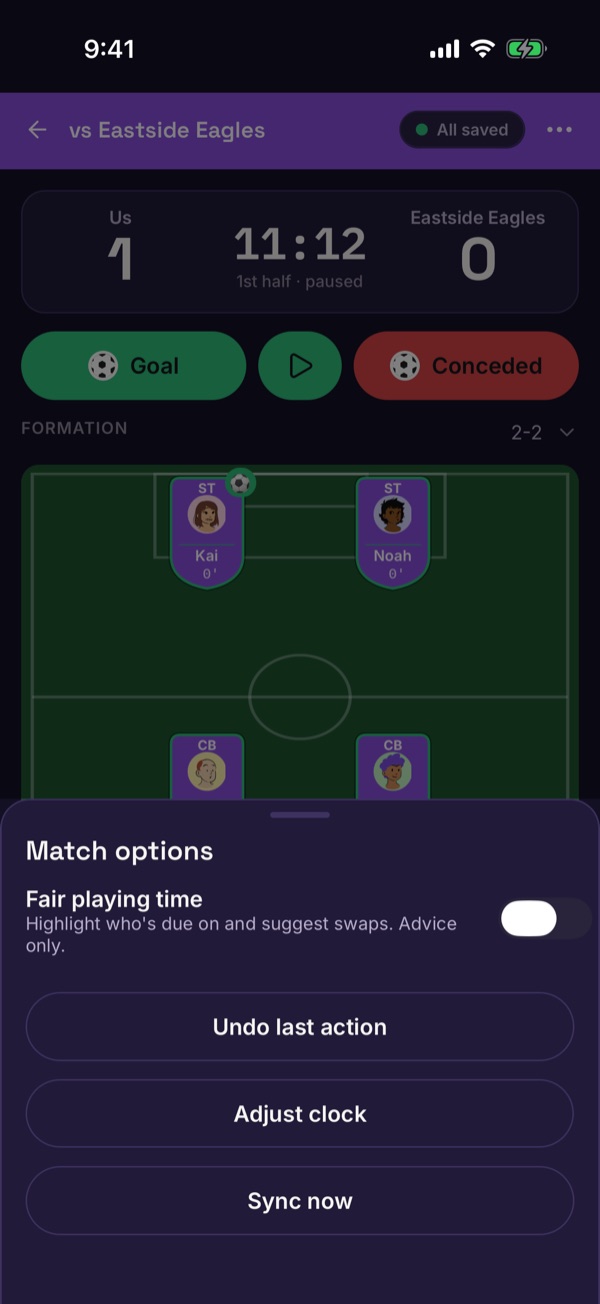
    Tap the pause button to stop the clock. End 1st half appears under the substitutes; later, Match options (the ••• at the top) lets you undo the last action, adjust the clock or sync now.
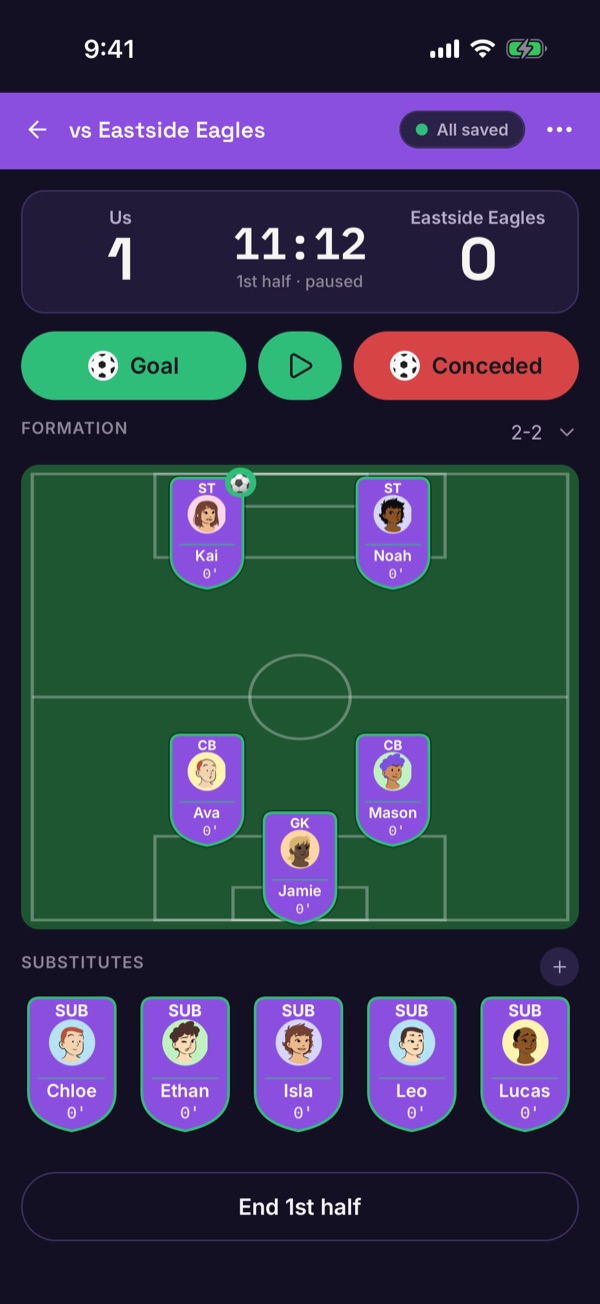
    The live screen paused with an End 1st half button
    The Match options sheet with Undo last action, Adjust clock and Sync now
  5. Review and edit afterwards

    Once the game is over, open the Match card and tap the eye to open the review. The timeline lists every event. Tap + to add something you missed, or tap an event to correct it — nothing is ever deleted, so you'll be asked for a reason.
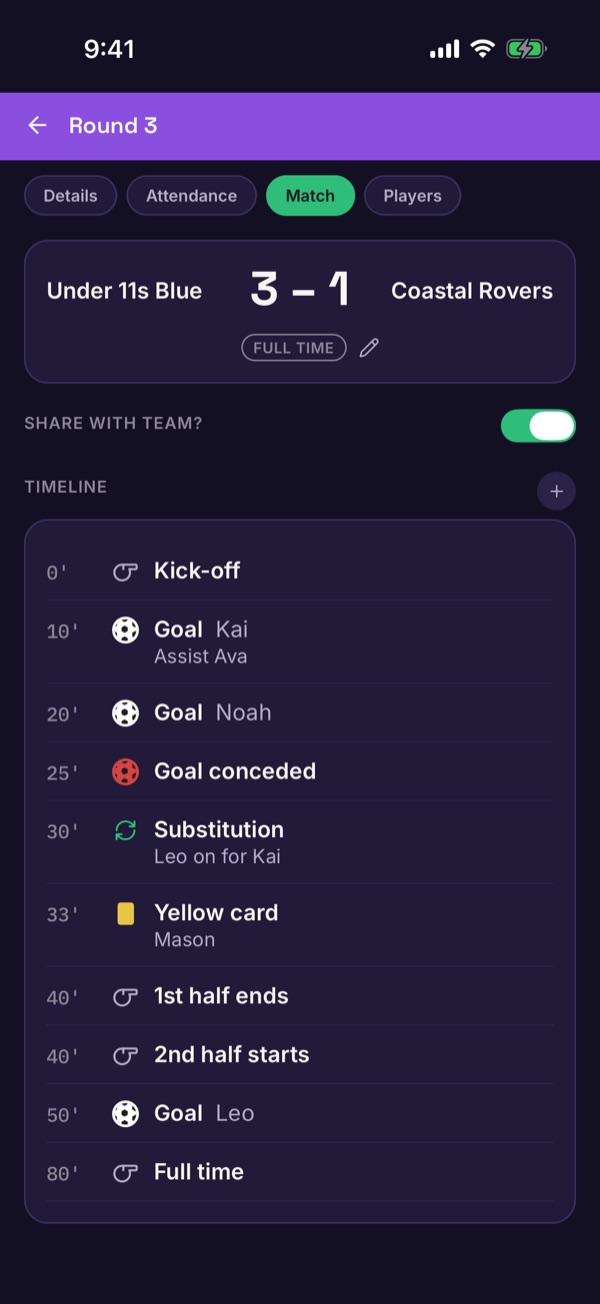
    The match review with the score and a timeline of goals, a substitution and a card
  6. Share with families

    Switch on Share with team? and confirm. Every family sees the score and their own child's details. You can stop sharing at any time.
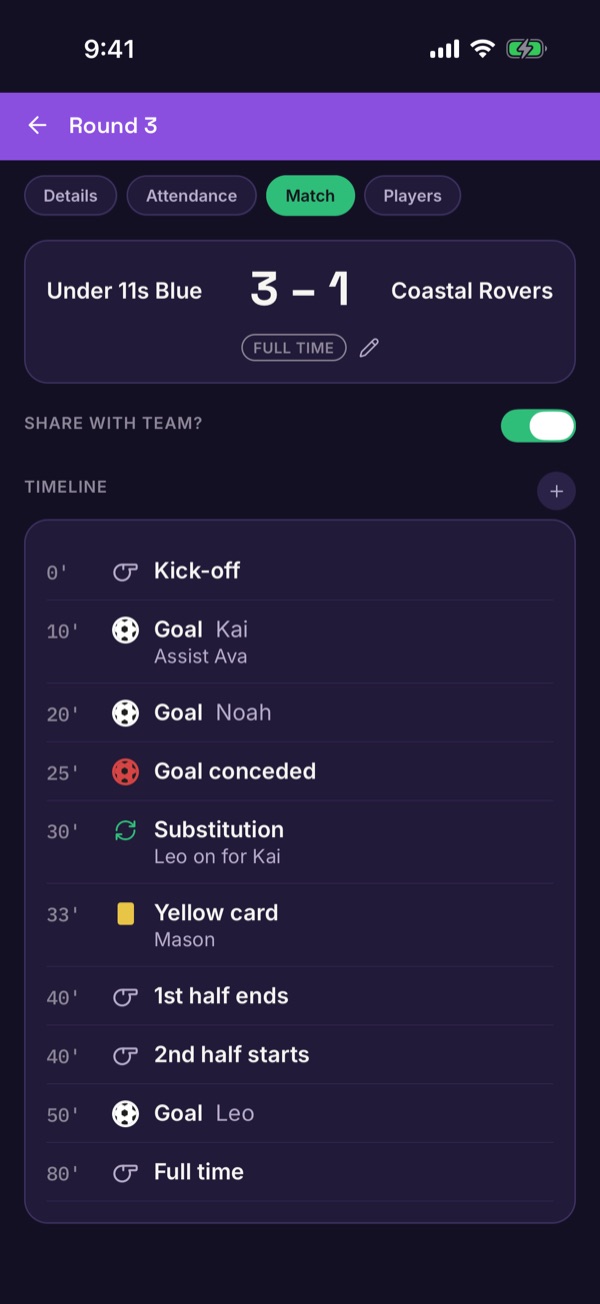
    The Share with team switch above the match timeline
Good to know. No signal at the ground? Events are saved on your phone and sent when you're back online. Other families only see who scored if that player's guardian allows it in privacy settings. What families see.