-
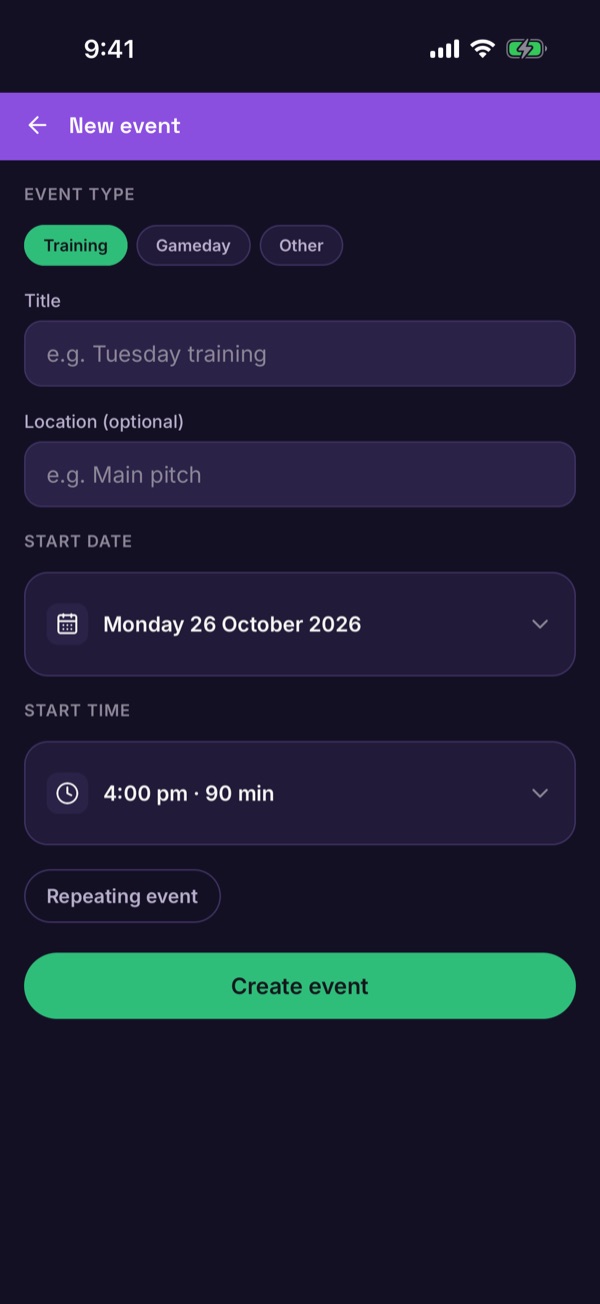
Add the game
On Schedule, tap +, choose Gameday, fill in the details and tap Create event. Adding events.
-
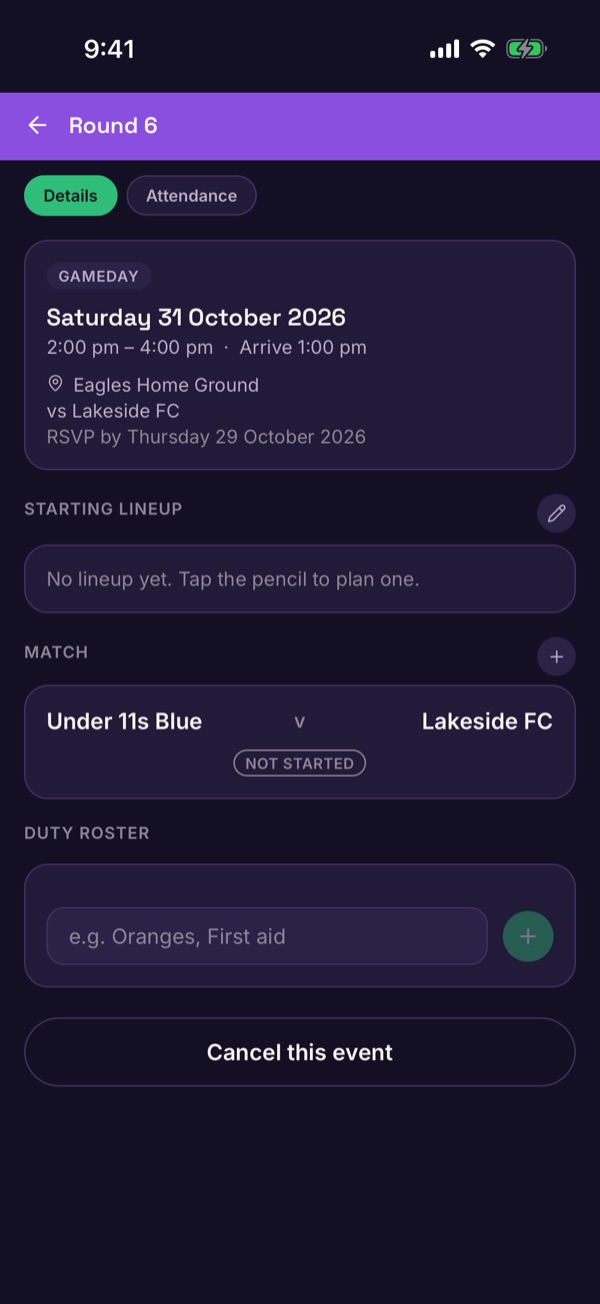
Open the game
Tap the game. You'll see the date, arrival time, the RSVP by deadline, the Starting lineup and the Match card.
-
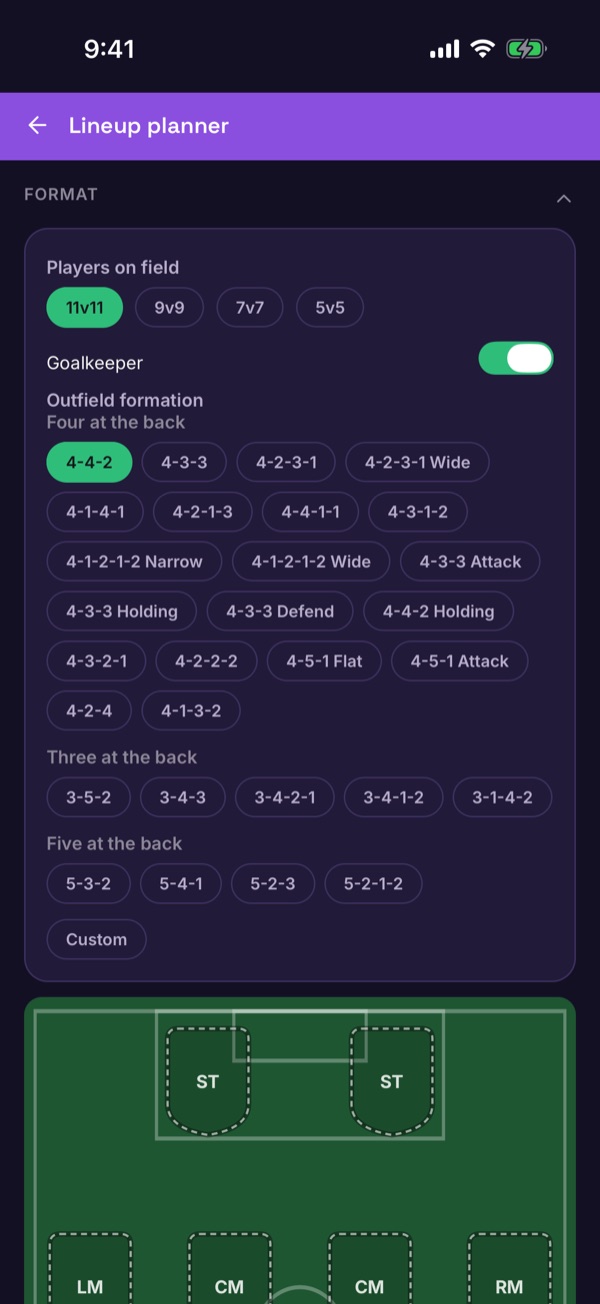
Open the lineup planner
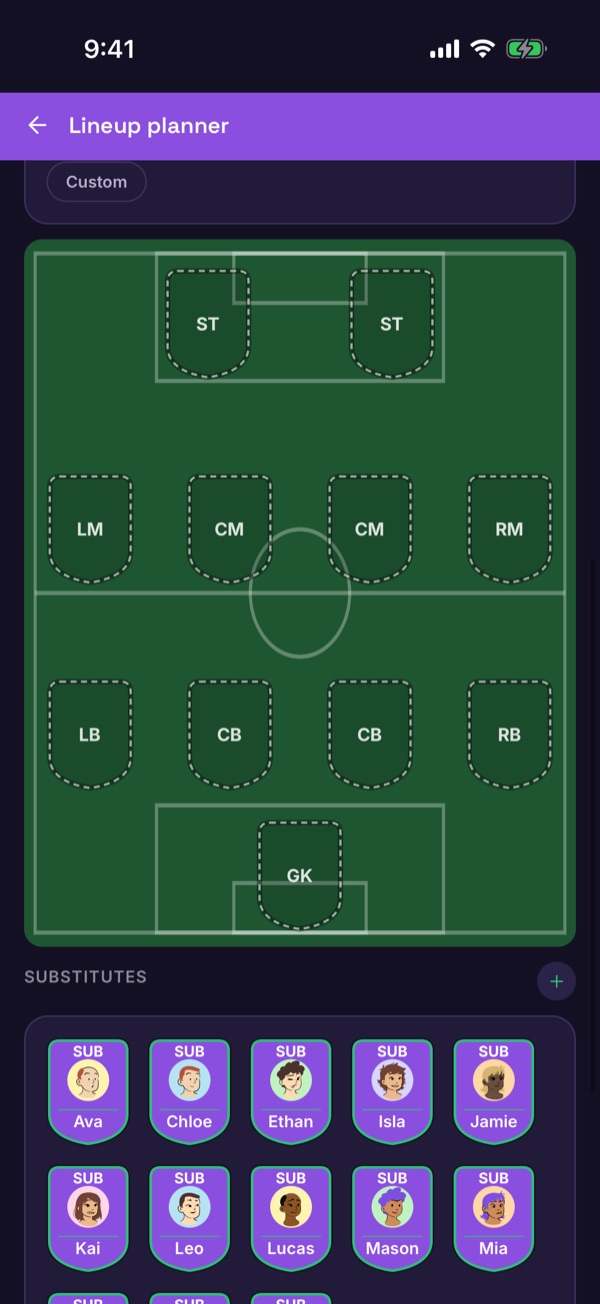
Tap the pencil next to Starting lineup. Choose how many players are on the field — 11v11, 9v9, 7v7 or 5v5 — and a formation like 4-3-3 or 3-5-2.
-
Place your players
Scroll down to the pitch and the substitutes, then place players into positions.
-
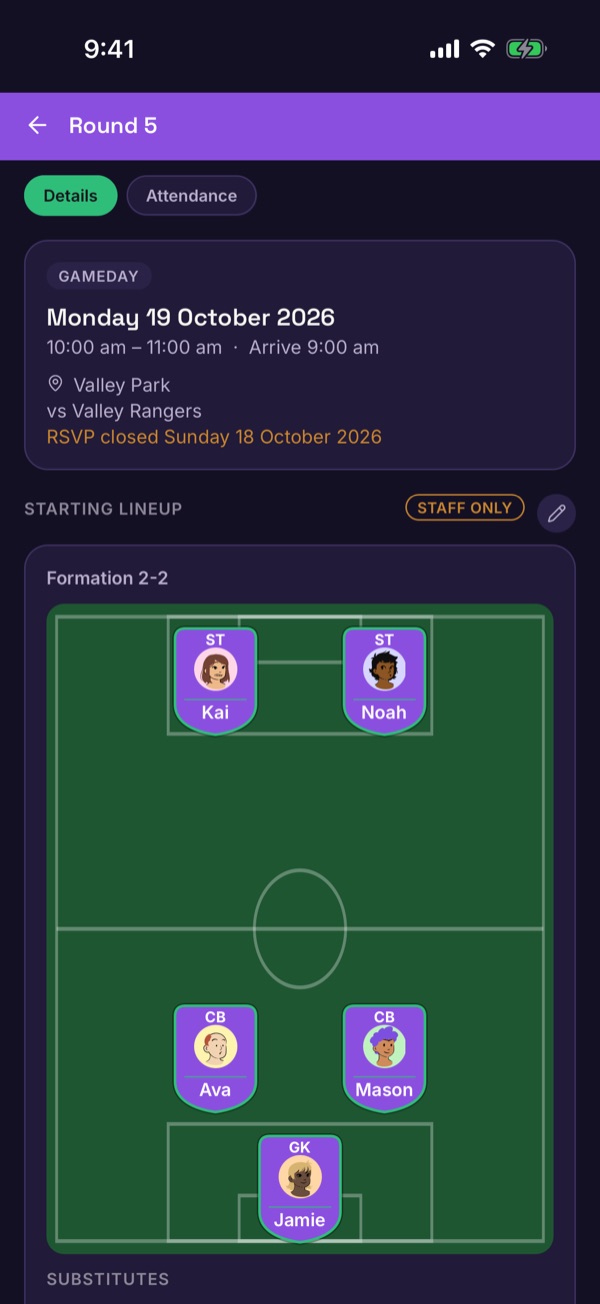
Check the result
Back on the game, the lineup shows on the pitch with the substitutes underneath. A Staff only tag shows who can see it.