-
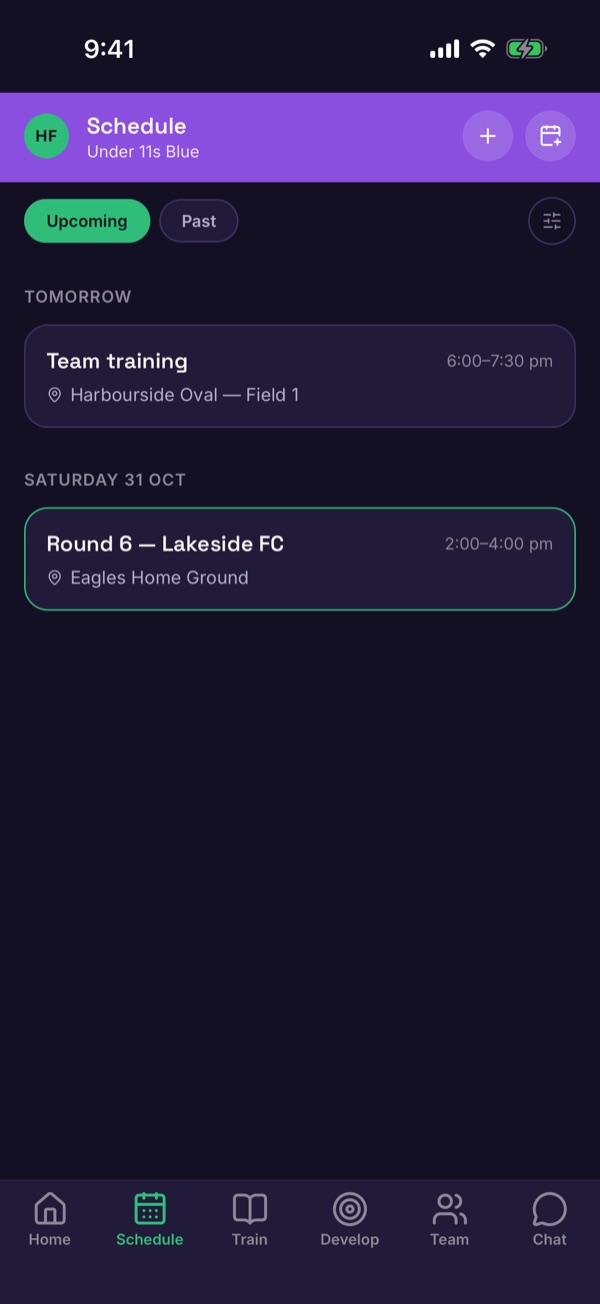
Open Schedule
Tap Schedule in the bottom menu. Upcoming shows what's next; Past shows what's finished.
-
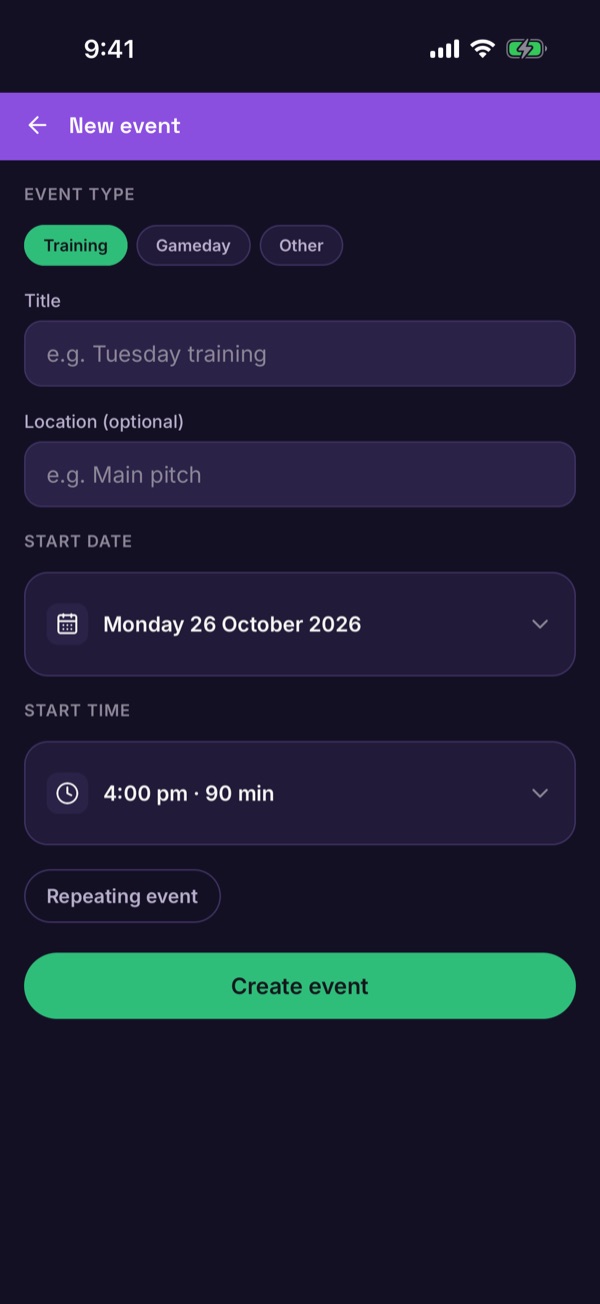
Add an event
Tap + at the top. Choose Training, Gameday or Other, add a title and location, then set the date and time. Tap Repeating event for a weekly session. Tap Create event.
-
Open the event
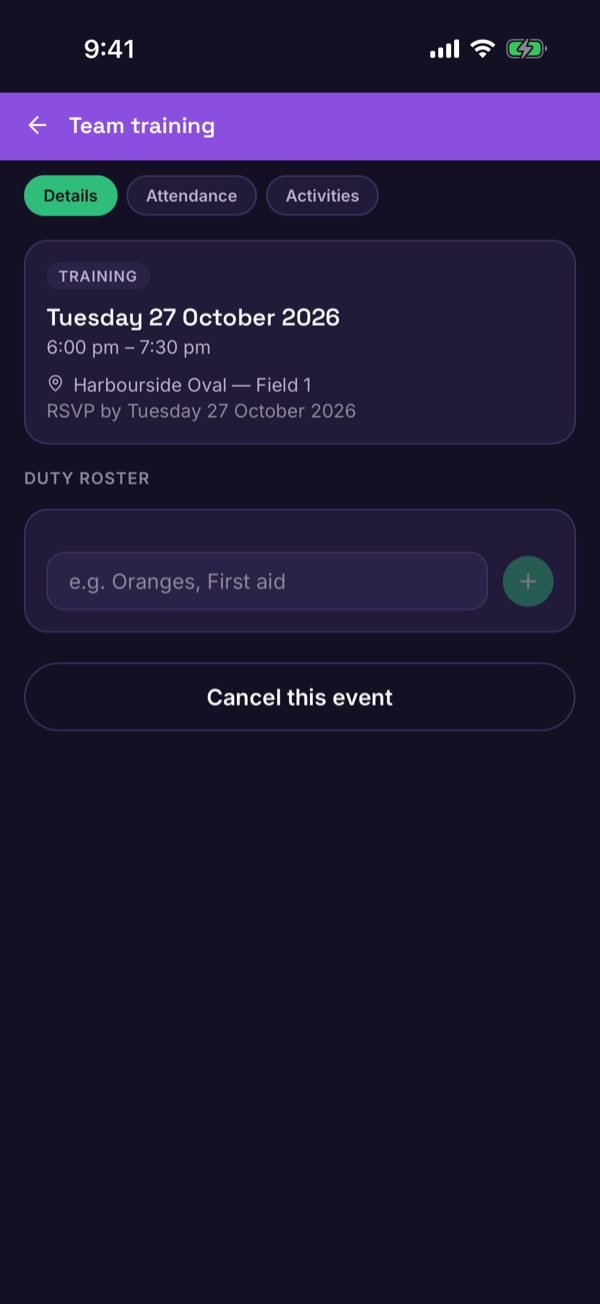
Tap an event to see its date, location and the RSVP by deadline. Families answer on the same screen. What families see.
-
Add a duty roster slot
Under Duty roster, type a job like Oranges or First aid and tap +.
-
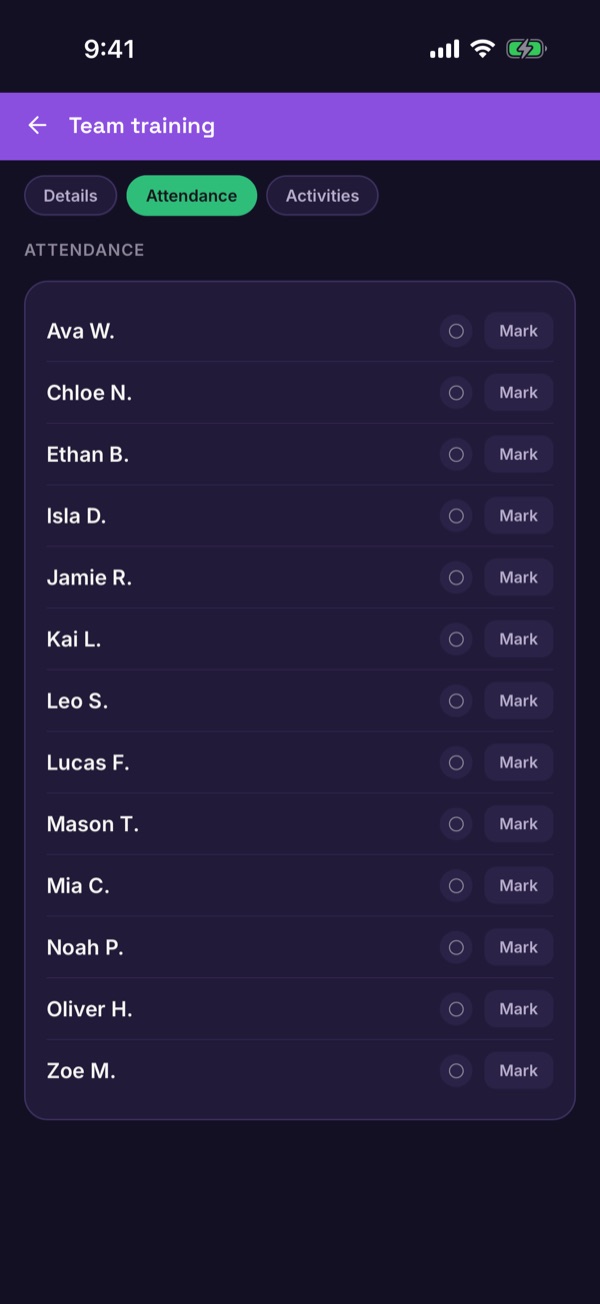
Take attendance
Open the Attendance tab and tap Mark next to each player who came.
-
Cancel if you have to
At the bottom of the event, tap Cancel this event. You'll be asked for a reason.
Good to know. Your Home tab shows how many players are going to your next event.