-
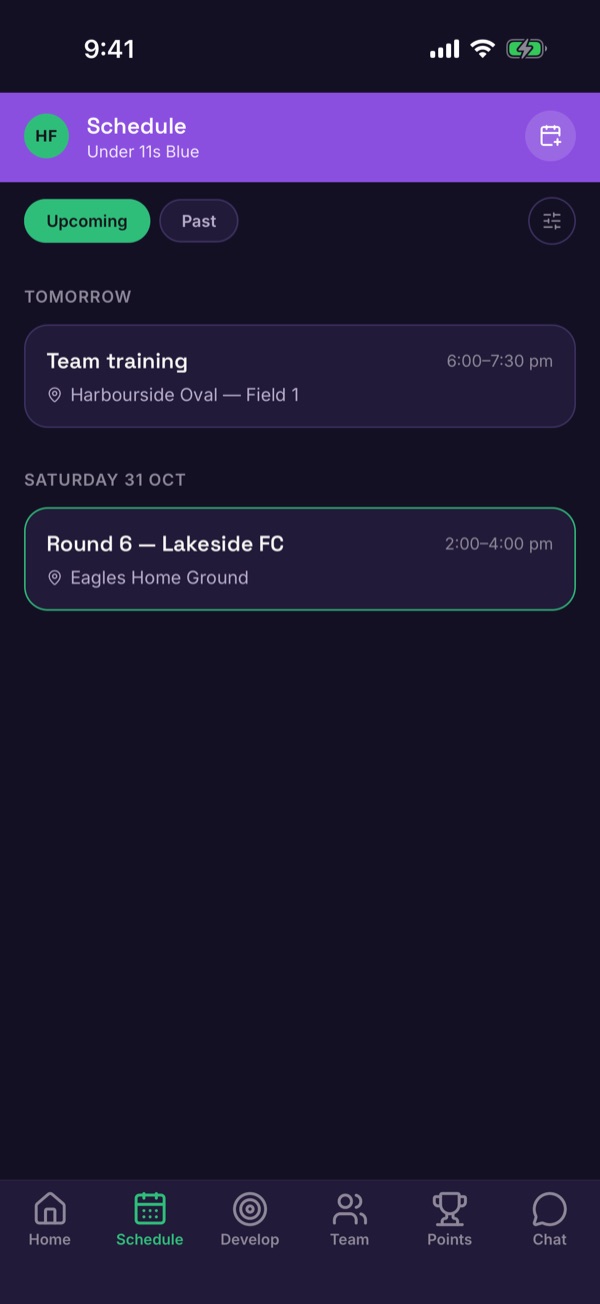
Find the event
Tap Schedule. Under Upcoming, tap the training session or game.
-
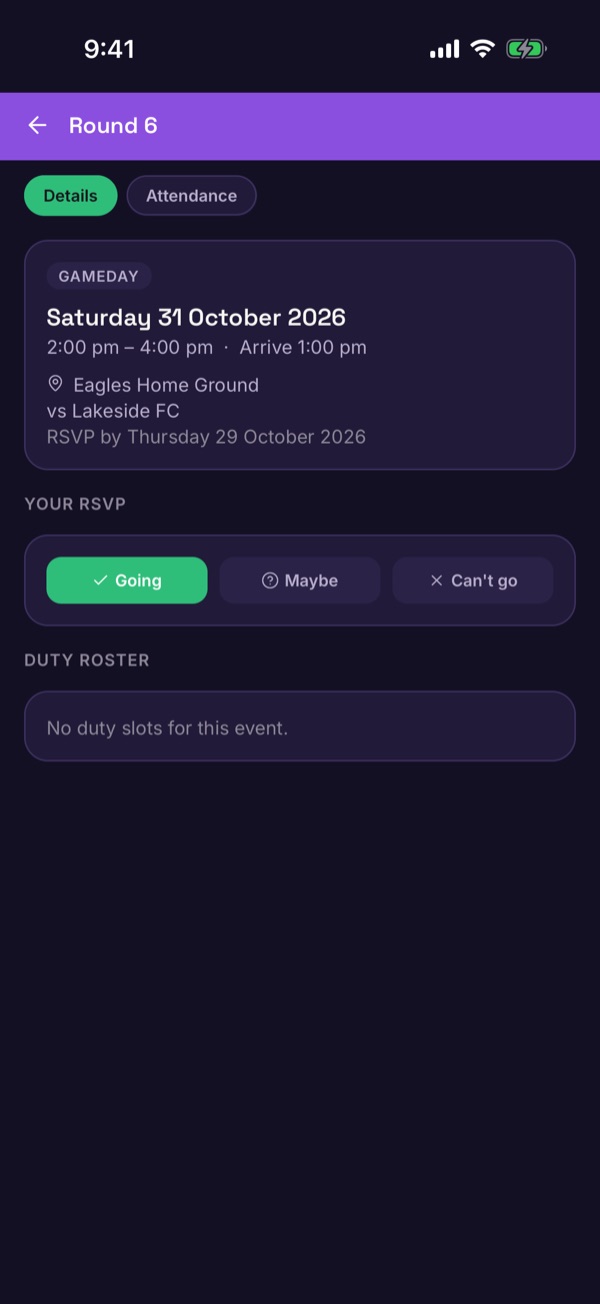
Check the details
You'll see the date, arrival time, location and the RSVP by deadline.
-
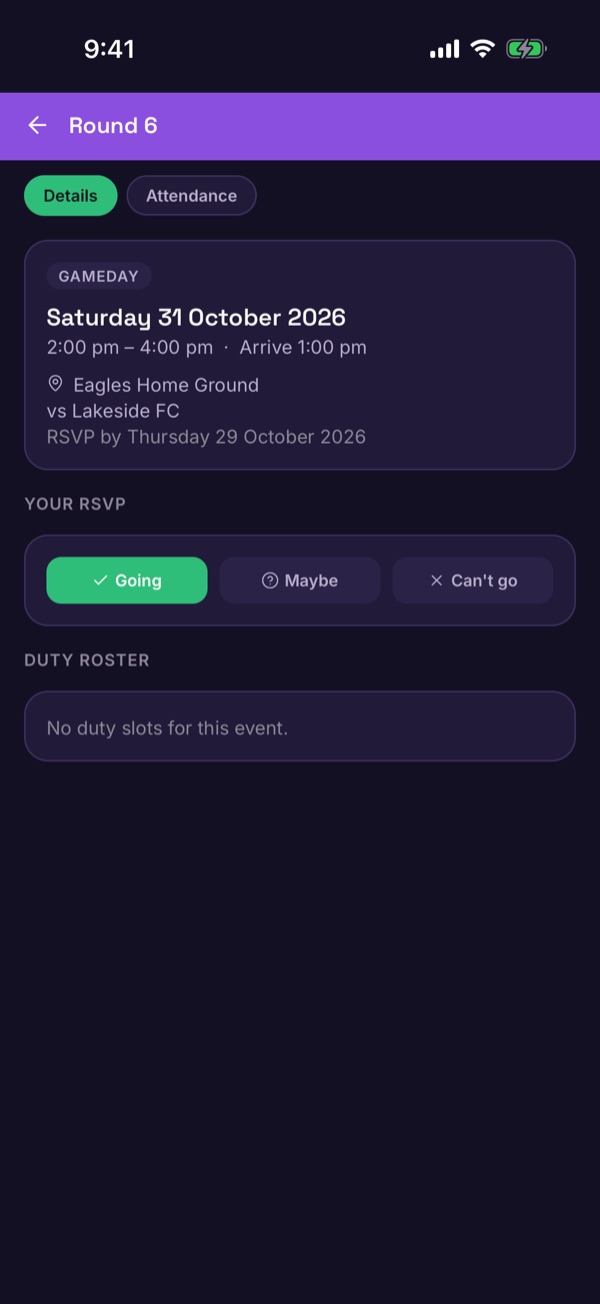
Tap your answer
Under Your RSVP, tap Going, Maybe or Can't go.
-
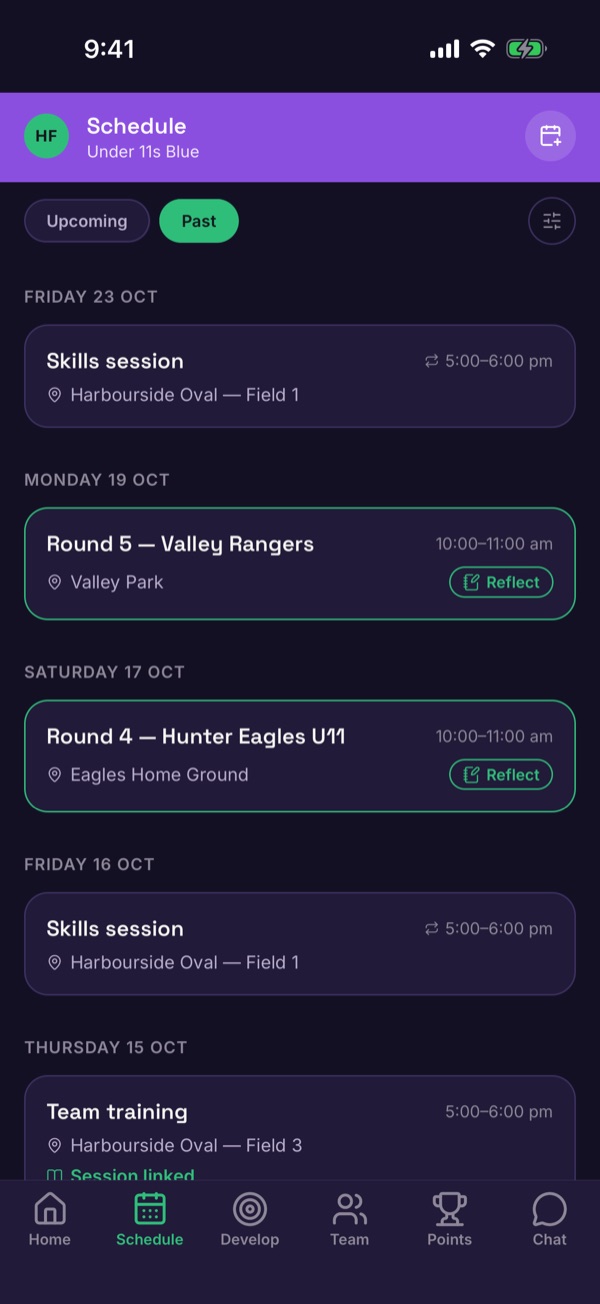
Find a finished game
After the game, open Past on the Schedule tab and tap it. Games with a Reflect button are ready for a journal entry.
-
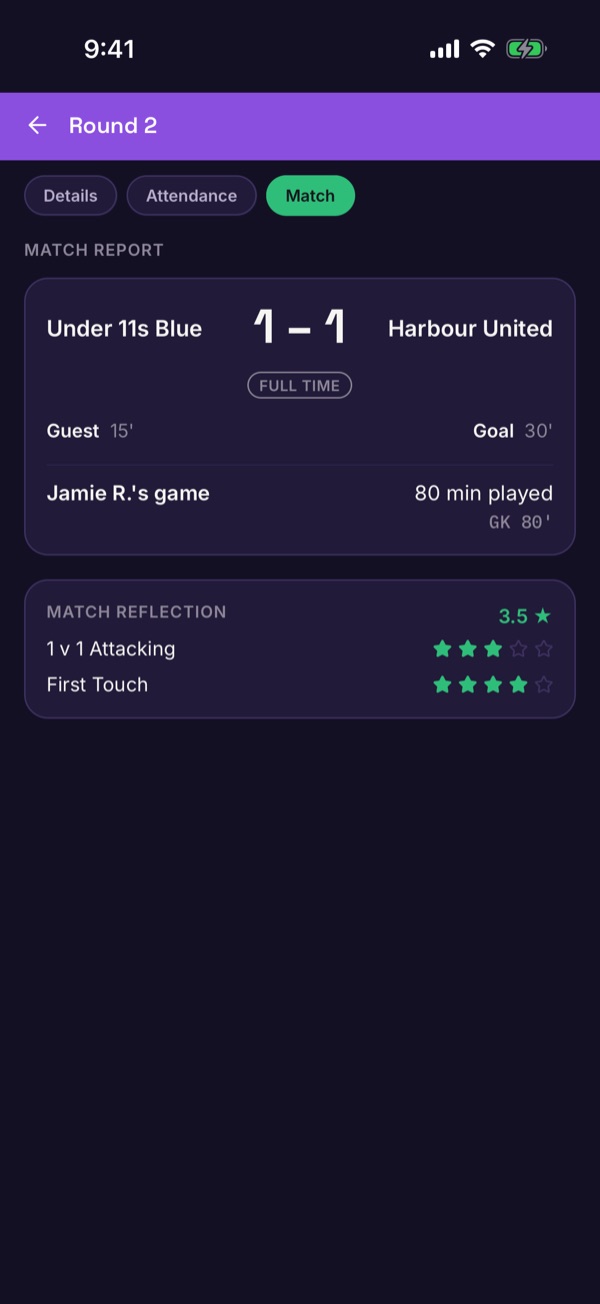
Read the match report
If your coach has shared the match, open the Match tab to see the score, goals and how many minutes your child played.
Good to know. Coaches choose when to share a match report. Other families only see who scored if that player's guardian allows it in privacy settings.