-
Open Develop
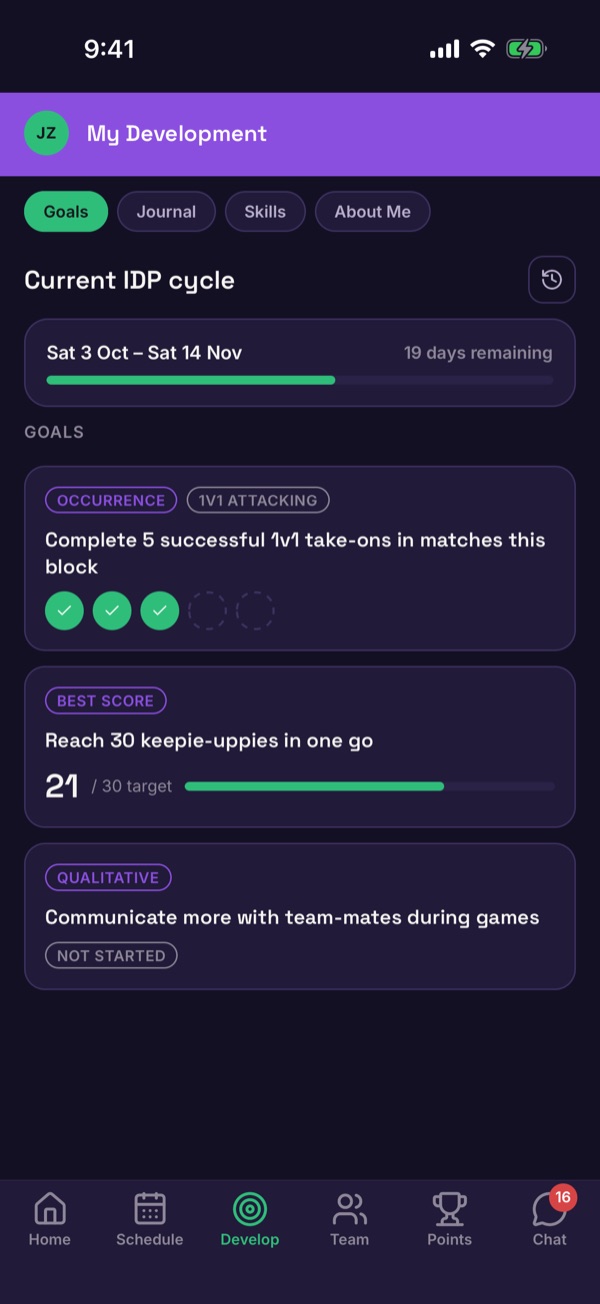
Tap Develop in the bottom menu. On the Goals tab you'll see the current cycle, how many days are left, and each goal.
-
Open a goal
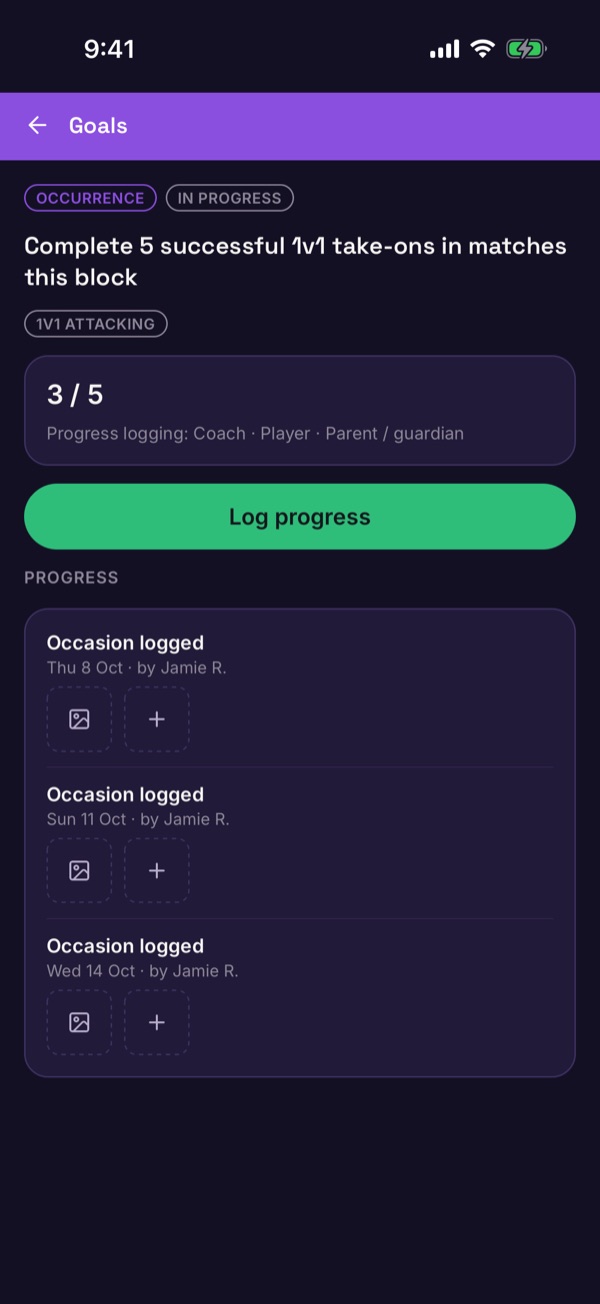
Tap a goal to see what it asks for and how far along you are, like 3 / 5. Under the counter it says who can log progress: your coach, the player, or a parent or guardian.
-
Log progress
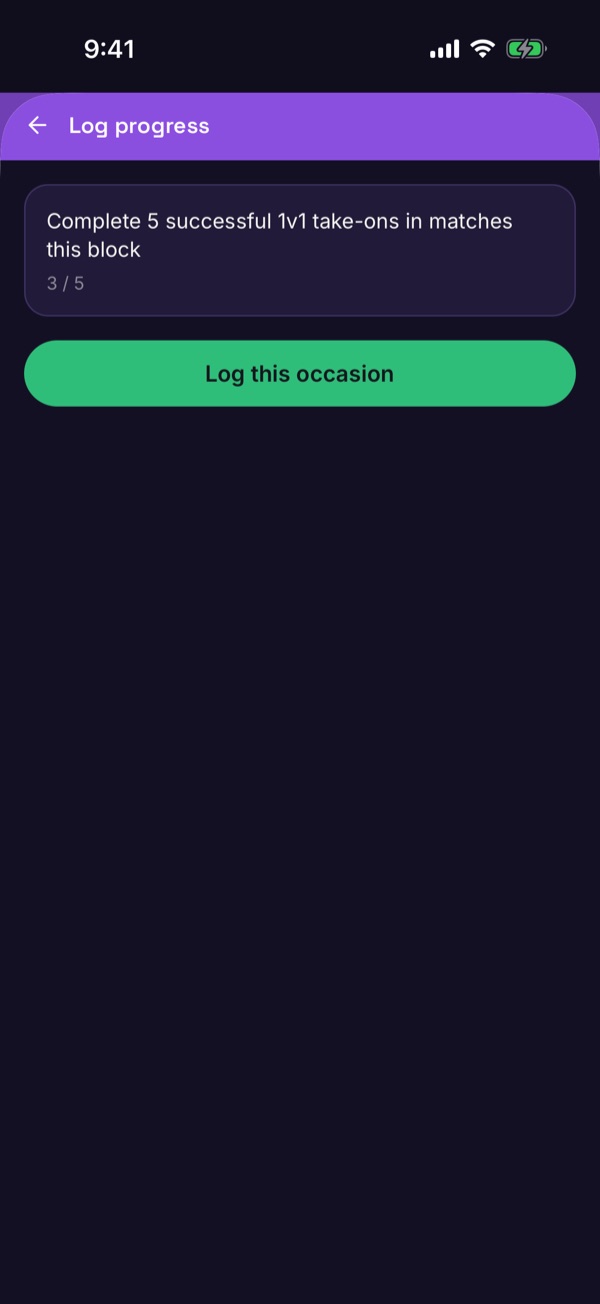
Tap Log progress. For a goal you count, tap Log this occasion each time you do it. For a goal with a personal best, enter your score instead.
-
Watch it build
Every entry appears under Progress with the date and who logged it. The screen tells you the goal's new status each time you log.
Good to know. Not every goal has a counter. Open a goal to see what it asks for.