-
Open the Journal
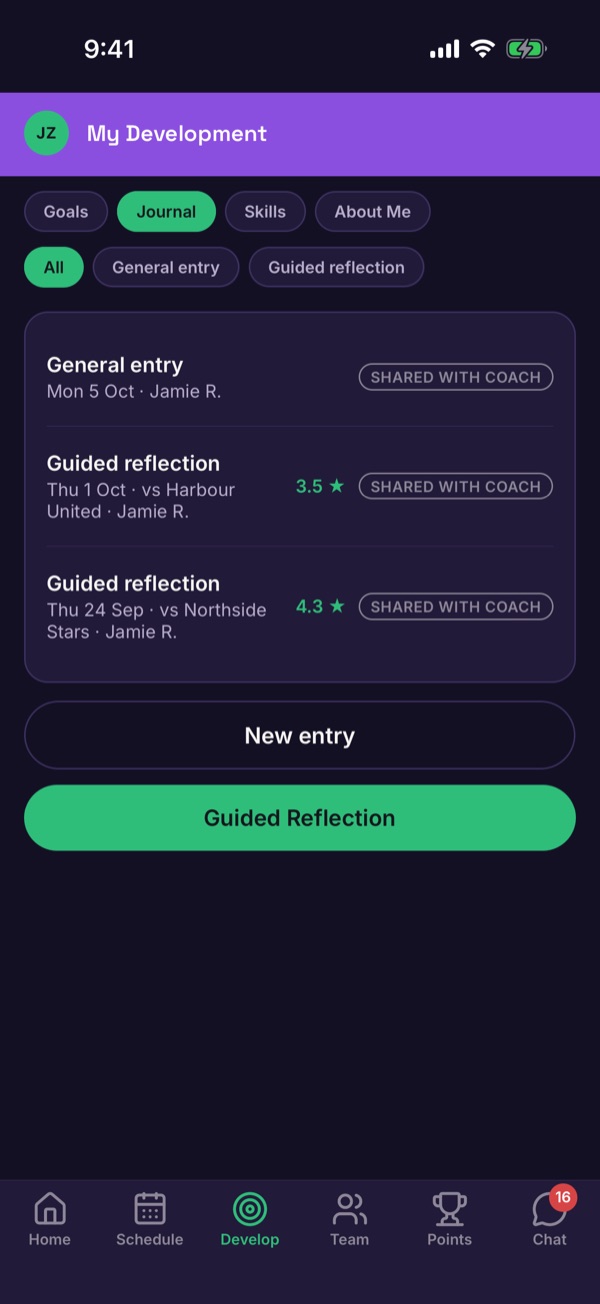
Tap Develop, then Journal. Your entries are listed with the date, and a star score for guided reflections.
-
Start a guided reflection
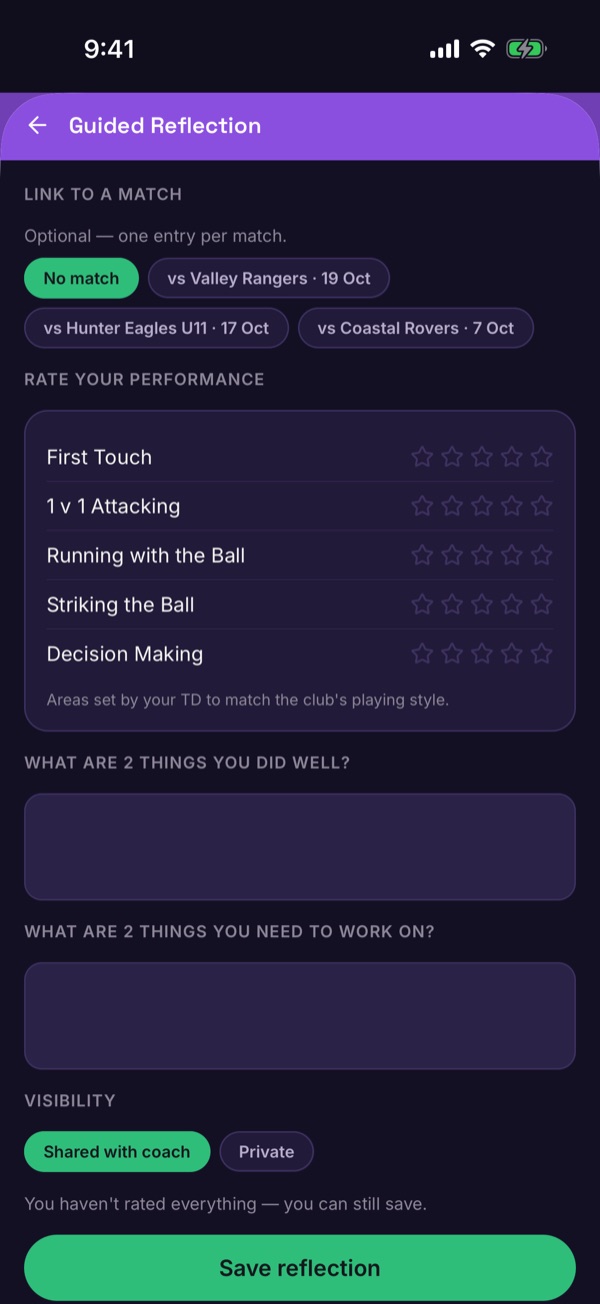
Tap Guided Reflection. If it's about a game, pick it under Link to a match — you can write one entry per match.
-
Rate and write
Give each area a star rating, then write two things that went well and two things to work on. You can save without rating everything.
-
Choose who sees it
Under Visibility, choose Shared with coach or Private, then tap Save reflection.
Good to know. Only the player or their guardian writes a reflection. Coaches can read it only if it's shared. Guardians can turn coach sharing off completely in privacy settings.