Help Centre › Coaches Coach

Create an Individual Development Plan (IDP)

A cycle runs four to eight weeks, with a few goals to work on.

6 steps

Watch: set up an IDP — a coach opening a player's IDP, adding a goal and finalising a cycle. About 43 seconds, no sound; captions are on.
  1. Pick a player

    Tap Develop. You'll see every player and how far along their goals are. Tap a player.
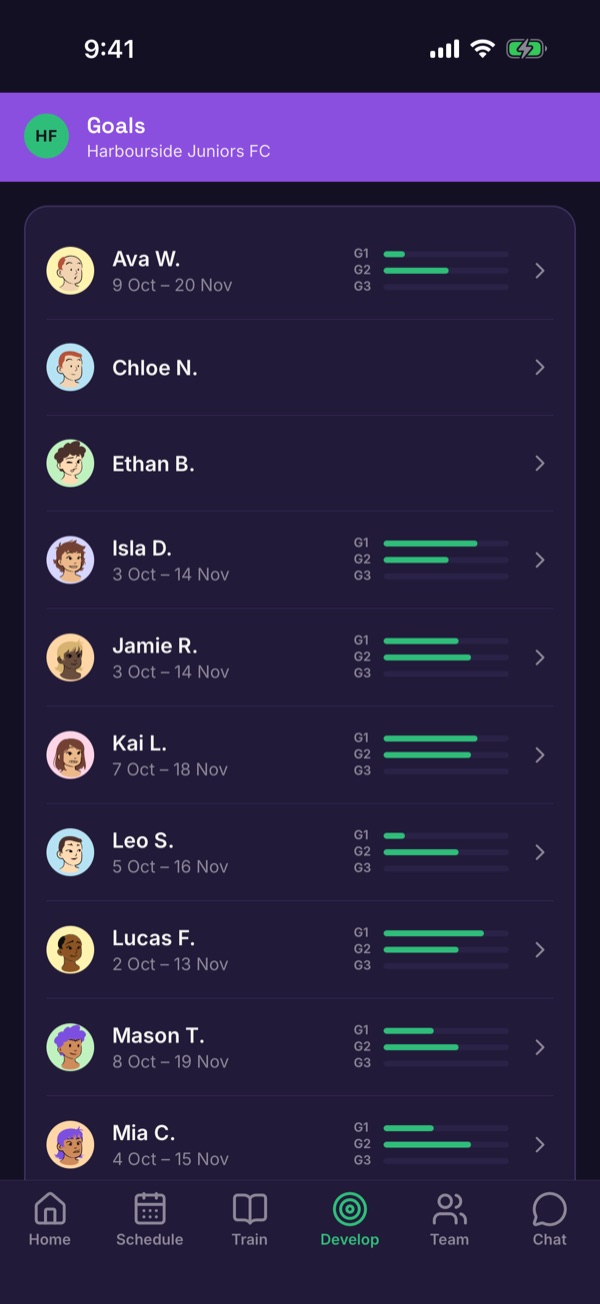
    The Develop tab listing players with goal progress bars
  2. Start a cycle

    If the player has no cycle you'll see Start an IDP cycle to set goals. Tap Start a cycle.
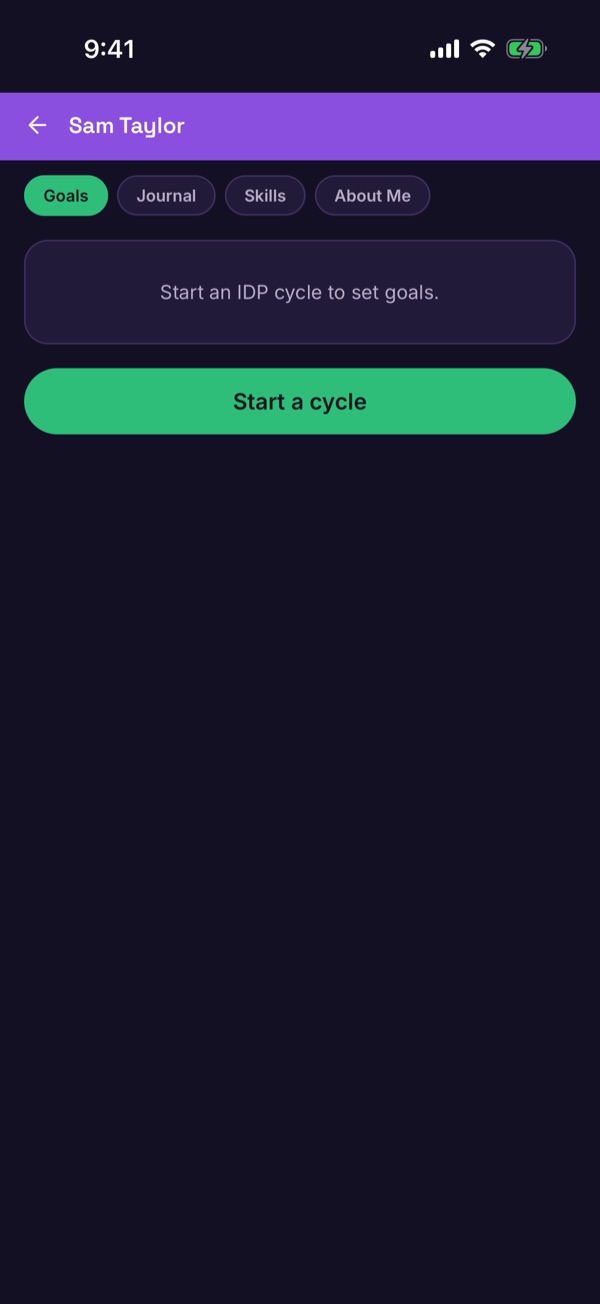
    A player with no IDP cycle and a Start a cycle button
  3. Set the dates

    Choose the start and planned end dates. A cycle must be 4–8 weeks (28–56 days). Tap Create cycle.
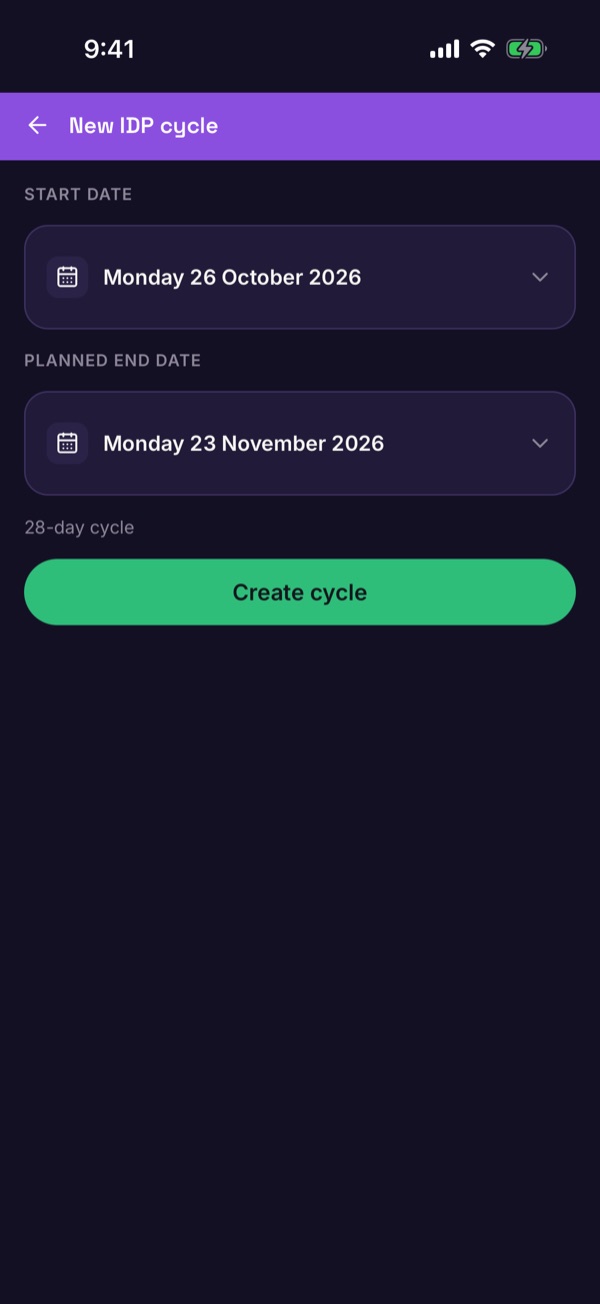
    The New IDP cycle form with start date, planned end date and Create cycle
  4. Add goals

    Tap Add a goal. Start from a template or write your own. Choose the type: Occurrence (count how many times), Best score or Qualitative. Set a target, choose who can log progress — Coach, Player and Parent / guardian — and pick the focus areas.
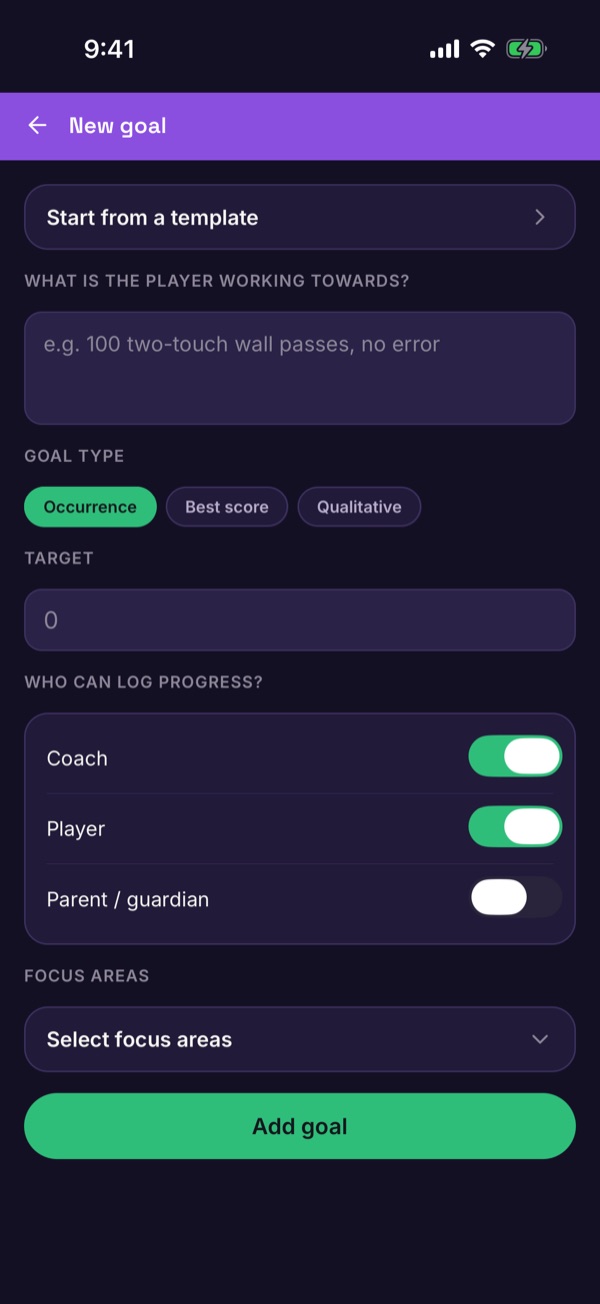
    The New goal form with goal type, target, who can log progress and focus areas
  5. Follow progress

    The player's page shows each goal with its progress. Players and families log their progress as they go. What they see.
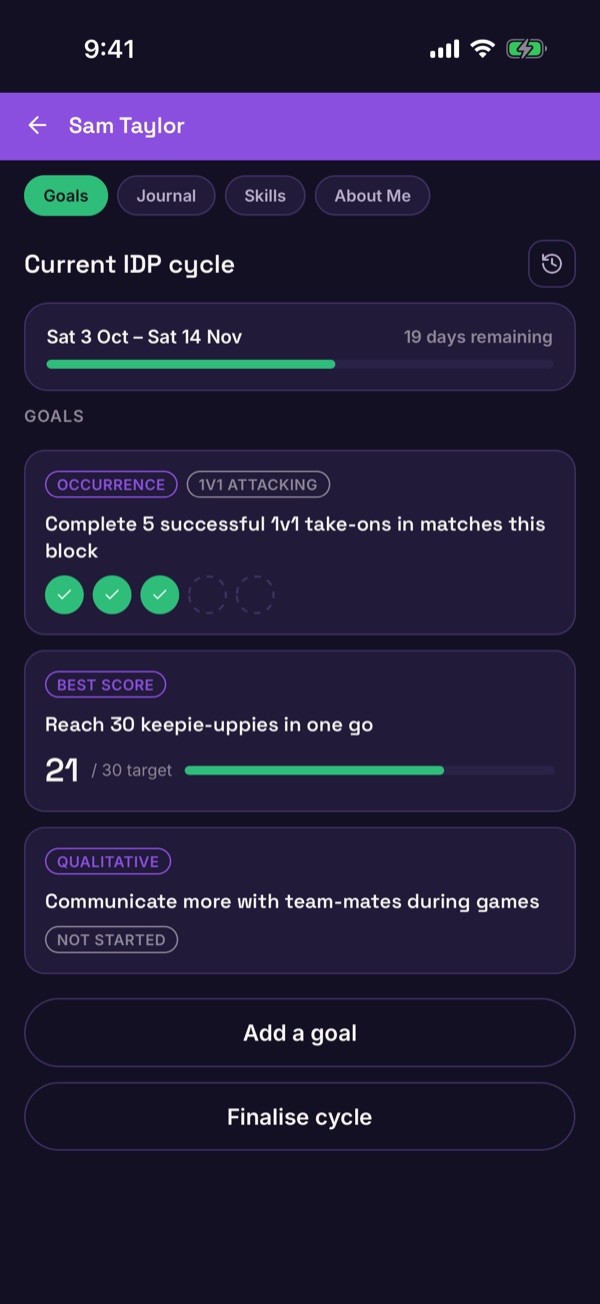
    A player's current IDP cycle with three goals and their progress
  6. Finalise the cycle

    At the end, tap Finalise cycle. Mark each goal Achieved, Missed or Abandoned — anything left blank is marked missed — add an optional review and tap Finalise cycle.
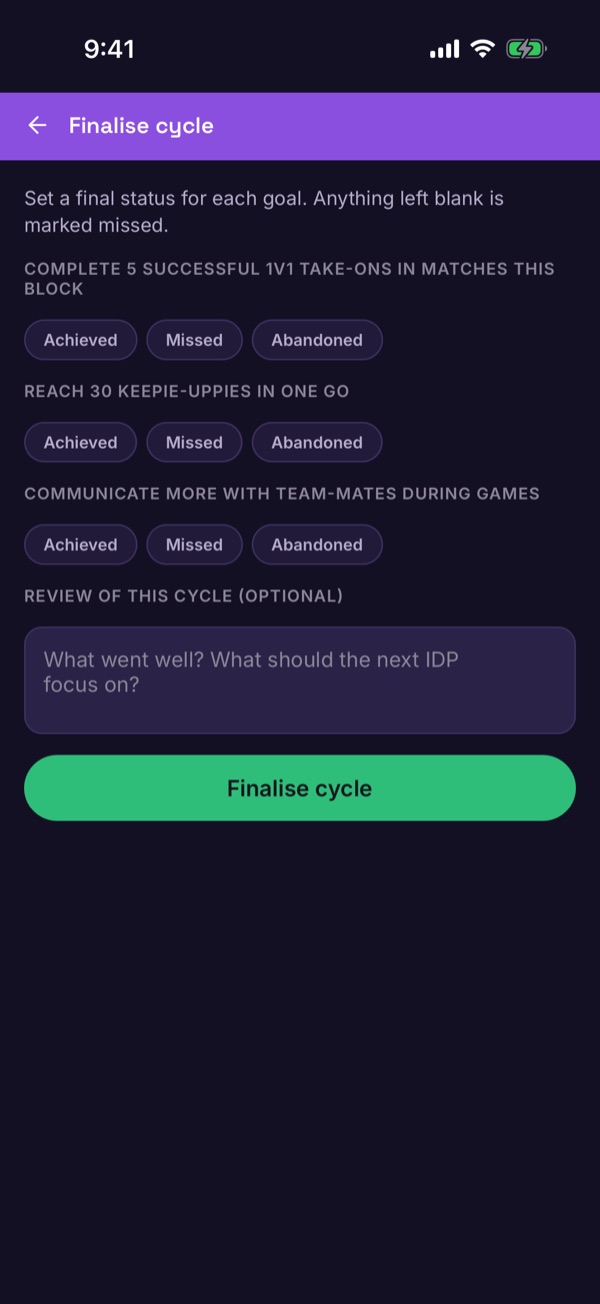
    The Finalise cycle screen with Achieved, Missed and Abandoned for each goal
Good to know. After finalising, the history button on the player's page shows previous cycles, and a new cycle lets you carry goals over — missed goals from the last cycle are ticked for you.